Adobe MAX 2026 kicked off today, November 10, in Miami Beach, and Adobe used the stage to roll out a big batch of updates for Photoshop and Lightroom. PetaPixel, DPReview and Adobe’s own blog all covered the news this morning. A few of these tools land right on the kinds of photos we make every week in San Antonio: corporate event coverage, team headshot days and group photos.
At Grey Bug Photography we edit our event and headshot work in Lightroom Classic, so we pay close attention when Adobe changes the tools. Here is a plain-language look at what was announced and what it actually means for your photos.
What Adobe announced for photographers
Photoshop
- Relight is out of beta. You can add up to three virtual light sources to a finished photo and adjust their position, color and brightness. The effect sits on its own layer, so it can be changed later instead of baked in.
- Generative Restyle is out of beta. Type a description of the look you want, and Photoshop creates a restyled version on a new layer, with a slider to control how strong it is.
- A smarter Remove tool. When you paint over something to remove it, Photoshop now also looks for related elements like its shadow, reflection or footprints.
- Quick Compare. A simple before-and-after slider to check edits without flipping between layers.
- New beta tools in the AI Assisted Editor, including Generative Recompose for changing aspect ratio (handy for turning a wide photo into a vertical one for social media) and a “remove ambient effect only” option for haze, flare and reflections.
Lightroom
- Glow. Soft diffusion and film-style halation effects with presets and fine controls.
- Blemish Removal on desktop. One-tap skin retouching, with controls that aim to keep natural features like freckles.
- Better Camera Tethering in Lightroom on desktop and iPad, with more ways to review, organize and collaborate while you shoot.
- Open Eyes (public beta). Fixes a blink by using a reference photo of that same person from your library, rather than inventing eyes from scratch.
Adobe and PetaPixel both note that much of today’s focus is on Lightroom (the cloud version), but Glow and Blemish Removal are also coming to Lightroom Classic, with more Classic and Camera Raw news promised soon.
What this means for your headshots
Headshots are where these tools will show up first. Blemish Removal that keeps freckles and skin texture is a good sign, because the goal for a professional headshot is to look like you on a good day, not like a filter. Faster, more consistent retouching can also help when a company books a headshot day for a whole team and everyone needs the same polished, natural look.
Relight is interesting too, but it is a fix, not a replacement for good lighting at the session. Light that is shaped well when the photo is taken still gives the most natural skin tones and catchlights in the eyes. Think of Relight as a way to rescue or fine-tune a frame, not as a reason to skip the lighting setup.
What this means for event and group photos
- Blinks in group photos. Anyone who has organized a team photo knows someone always blinks. Open Eyes could save an otherwise perfect group shot. We still shoot several frames of every group, because a real open-eyed frame is always better than a repaired one.
- Cleaner venue shots. The smarter Remove tool should make it easier to take out an exit sign, a stray cable or a trash can along with its shadow, without leaving a smudge behind.
- Social-ready crops. Generative Recompose may help turn a wide event photo into a vertical for Instagram or LinkedIn. We would still rather compose a few verticals on site when we know you need them.
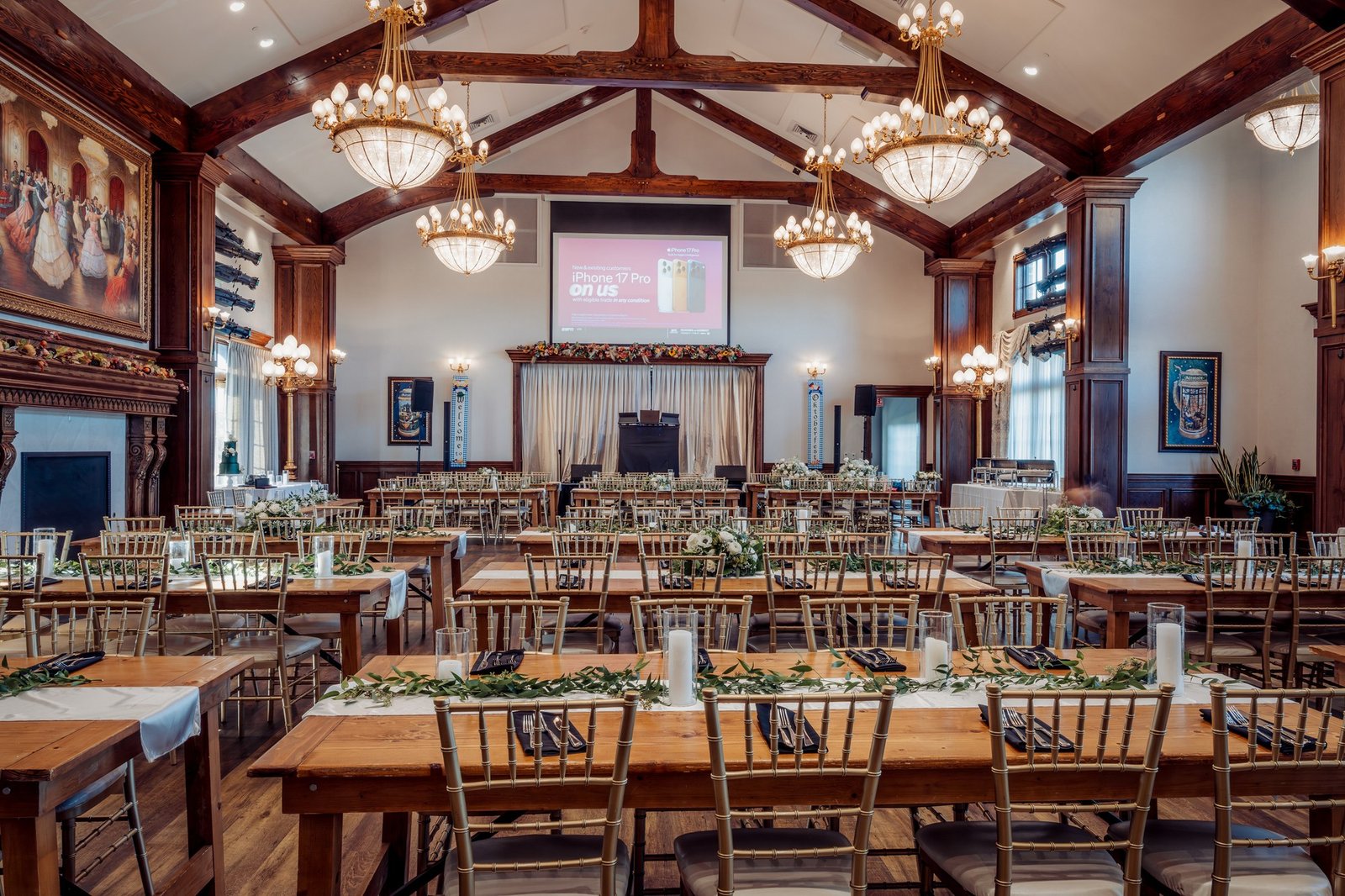
- Mixed venue lighting. Ballrooms and reception halls often mix window light, chandeliers and stage lights. Tools like Relight and Glow give more room to balance that in the edit, like the warm chandelier light in the venue photo above.
Where we draw the line with AI edits
New AI tools are exciting, but trust matters. For event and corporate work, we use editing to clean up and polish what really happened, not to change it. That means no added people, no fake backgrounds on a news-style event photo and no restyling that makes your venue look like somewhere else. If you need a creative look for a marketing campaign, we will talk about it up front so everyone knows what is real and what is styled.
Gear mentioned in this post
- A tethering cable, if you want to try Lightroom’s updated tethering for headshots or studio work: Buy at Adorama
- Nikon Z8, one of the bodies we have relied on for event and headshot work since it launched: Buy at Adorama
Disclosure: some links in this post are affiliate links, which means Grey Bug Photography may earn a small commission if you buy through them, at no extra cost to you.
Bottom line
Adobe’s MAX 2026 updates make retouching faster and give editors more control over light after the fact. For San Antonio clients, the practical upshot is cleaner headshots that still look natural, fewer lost group photos to blinks and more flexible crops for social media. The basics have not changed, though: good light, good timing and a photographer who knows when to stop editing.
Sources: Adobe Blog, “Explore new ways to create across Creative Cloud and Adobe Firefly,” November 10, 2026; PetaPixel, “Photoshop Now Relights and Restyles Your Photos Using AI,” November 10, 2026; DPReview, “Adobe brings new lighting and editing tools to Photoshop and Lightroom,” November 10, 2026.
Planning a team headshot day or an event in San Antonio? Reach out to Grey Bug Photography, or see how we work with planners on our For Planners page.