Apple just made the biggest change to the MacBook Pro in years. On Oct. 28, the company announced a redesigned 14-inch and 16-inch MacBook Pro with what it calls a PROLED XDR display: its first OLED laptop screen and the first Mac you can actually touch. Apple’s newsroom announcement and PetaPixel’s launch coverage both point out that Apple is pitching this screen straight at photographers, colorists and designers. Pre-orders are open now, and the laptops start arriving Friday, Nov. 6.
The touchscreen gets the headlines. For photographers, the display itself is the real story. Here’s what changed, what it could mean for editing event and headshot work, and what it means for you if you’re a client in San Antonio waiting on a gallery.
What Apple announced
- Tandem OLED panel. Every pixel makes its own light, so blacks are truly black. Apple lists a 10,000,000:1 contrast ratio, up to 1,000 nits sustained full-screen brightness, and up to 2,000 nits peak.
- P3 and Adobe RGB in one preset. Earlier MacBook Pro screens covered P3, the standard for video and the web. This one adds Adobe RGB, the wider space many photographers use when files are headed to print, with deeper greens and cyans. Apple says both live in a single default preset, so there’s no switching modes between a photo edit and a video project.
- Factory calibration plus a new calibrator. Apple says each display is calibrated at the factory, and a new Apple Pro Display Calibrator tool lets users fine-tune it.
- Touch built into the panel. Pinch to zoom on a photo, swipe through a set, or tap instead of click. Adobe Lightroom and DaVinci Resolve are already optimized for touch, according to the launch coverage. You can also turn touch off completely.
- Same chips, lighter body. Inside are the same M5 Pro and M5 Max chips as before. The 14-inch model weighs about 3 pounds and the 16-inch about 4 pounds, both lighter than the previous generation.
- Pricing. The 14-inch starts at 2,899 USD and the 16-inch at 3,399 USD with M5 Pro. A nano-texture anti-glare option adds 150 USD. PetaPixel notes Apple kept the existing Liquid Retina XDR MacBook Pro on sale with the same chips, so the OLED screen works out to roughly a 400 USD premium.
Why the screen matters more than the touch
Every edit a photographer makes is a decision based on what’s on the screen. If the screen is too bright, too blue, or can’t show certain colors, the edit drifts. Those mistakes usually show up later: on a client’s phone, in a print, or on a big projector at a conference.
Three things stand out for event and headshot editing:
- Skin tones. Headshots live or die on natural skin. A calibrated, wide-gamut display makes it easier to see subtle color casts from mixed venue lighting before they get synced across an entire batch of portraits.
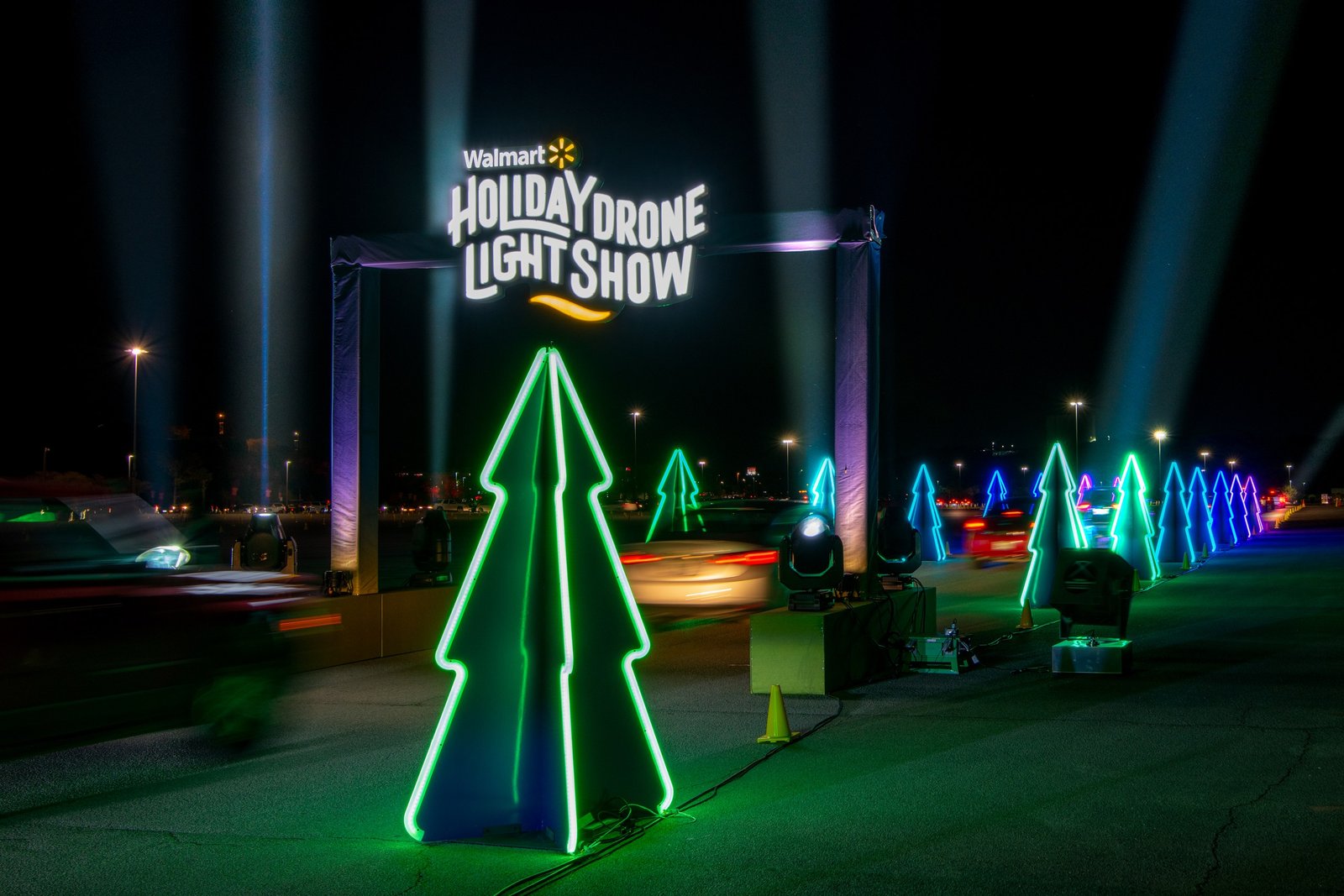
- Stage and holiday lighting. Event venues love saturated LED color: purple uplighting, teal stage washes, neon greens like the photo above. Those are the colors that clip or turn muddy first. A screen that reaches further into greens and cyans makes it easier to keep them rich without looking fake.
- Shadows. OLED’s deep blacks are great for checking shadow detail in dark ballrooms and night events. The flip side: a very contrasty, very bright screen can trick you into editing too dark. Calibration and a sensible brightness setting still matter.
A few honest caveats
- It’s a new product. Apple’s specs are impressive, but independent long-term testing of color accuracy, glare, and OLED aging hasn’t happened yet.
- Nano-texture is a trade-off. Matte anti-glare glass helps in bright rooms, but it costs extra and changes how the screen looks. If you mostly edit indoors, standard glass may be the better fit.
- You don’t need it to get great photos. A properly calibrated monitor, good lighting in your edit space, and a consistent workflow matter more than any single laptop. If your current setup is calibrated and working, there’s no rush.
What this means for San Antonio event and headshot clients
You’ll never see the photographer’s screen, but you’ll see the results. When you’re comparing photographers for your next conference, corporate event, or team headshot day, here are a few things worth asking:
- Do you edit on a calibrated display? It’s a simple question, and the answer tells you a lot about how consistent your colors will be across the whole gallery.
- Will my headshots match across the team? Consistent color and cropping across a set of portraits is what makes a company website look polished.
- Are you checking for print and web? If your photos are going on banners, programs, or trade show displays as well as LinkedIn, ask how files are prepared for each.
- View your gallery on a good screen. Phone screens vary a lot. If something looks off, check it on a second device before asking for changes.
Where to buy
If you edit photos on the go and the new screen fits your workflow, you can check current MacBook Pro listings and availability here: Shop the MacBook Pro at Adorama. Double-check that the listing says PROLED XDR if you want the new OLED touchscreen model, since the Liquid Retina XDR version is still sold with the same chips.
Disclosure: Some links in this post are affiliate links. If you buy through them, Grey Bug Photography may earn a small commission at no extra cost to you.
The bottom line
Apple’s new MacBook Pro is the first laptop the company has openly built as a portable reference display for photographers, with P3 and Adobe RGB in one preset, factory calibration, and OLED contrast. Touch is a nice bonus. For clients, the takeaway is simpler: color accuracy in the edit is a big part of why great event photos and headshots look right everywhere they end up.
Planning a conference, corporate event, or team headshot day in San Antonio? Get in touch with Grey Bug Photography and let’s talk about your project.